 Mail
Mail
 Messages
 Office
 Notes
Notes
 Meet
Meet



Channels
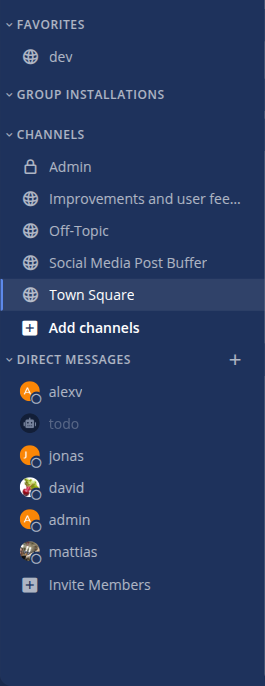
Channels keep conversations organised by topic or group. Anyone on the team can find and join a public channel, while a private channel is only visible to those invited.
Create a new channel:
- Click the plus next to Channels in the left panel.
- Select Create new channel.
- Enter a channel name and an optional description.
- Choose whether the channel should be public or private.
- Click Create channel.
Choose public if you are unsure. A public channel can be made private later, but the reverse is more awkward, and public channels make it easier for others to find what has already been discussed.
Join an existing channel:
- Click the plus next to Channels.
- Select Browse channels.
- Browse or search, then click Join next to the channel.
Invite others:
- Open the channel and click the channel name at the top.
- Select Add people and search for those you want to invite.
In a private channel this is the only way in, since it does not appear under Browse channels.
Leave a channel:
Click the channel name at the top and select Leave channel. You can rejoin later if the channel is public. If you just want some quiet, Mute Channel is often better: the channel stays but stops notifying you.
Built on Mattermost · Manual · Forum