 Mail
Mail
 Messages
 Office
 Notes
Notes
 Meet
Meet



Send messages
You write in channels or directly to individual people.
Send in a channel:
- Sign in to Chat with your username and password.
- Select a channel in the left panel.
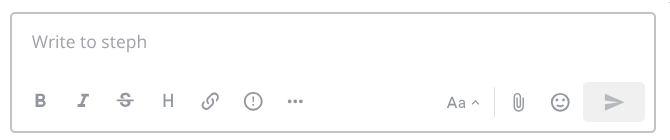
- Write your message in the text box at the bottom.
- Press Enter.
Send a direct message:
- Click the plus next to Direct messages in the left panel.
- Search for a person and select them.
- Write and send the message.
Reply in a thread:
- Hover over the message you want to answer and click Reply.
- Write your reply in the Thread panel that opens on the right.
Threads keep the channel readable. Instead of a discussion being broken up by other messages, it stays together under the message that started it. You can follow a thread you have not written in yourself with Follow thread in the thread menu, and every thread you follow is collected under Threads at the top of the left panel.
Mention someone: type @ followed by the username and the person is notified even if the channel is muted. @channel and @here notify everyone in the channel and everyone currently online respectively, so use them sparingly.
Format your text: Chat uses Markdown. You can write **bold**, bullet lists with hyphens, and code between backticks. The formatting button under the text box shows the controls, and Preview shows the result before you send.
Correct or remove: open the three-dot menu on your own message and choose Edit or Delete. An edited message is marked as such.
Save and pin: Save Message puts the message in your own list. Pin to Channel makes it visible to everyone in the channel’s pinned list, useful for things everyone needs to find.
Built on Mattermost · Manual · Forum