 Mail
Mail
 Messages
 Office
 Notes
Notes
 Meet
Meet



Spaces and rooms
Rooms are places for group discussions, either open to everyone in your organisation or private by invitation. Spaces group several rooms and people together, for example by organisation or project, so you can find and organise your rooms more easily.
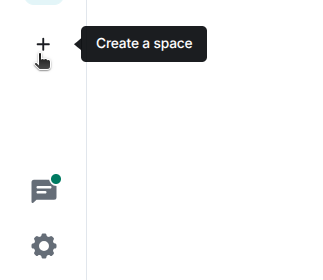
Create a space
- Click + in the left-hand panel under the home icon.
- Enter a name for the space.
- Choose whether the space should be private (invite only) or public (open to everyone in the organisation).
- Click Create a space.
You can add existing rooms to a space afterwards, it’s not locked in when you create it.
Create a room
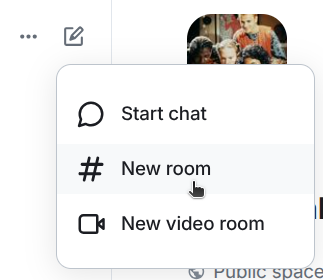
- Click + or 📝 next to the space’s name in the left-hand panel.
- Select New room.
- Enter a name for the room.
- Choose whether the room should be private (invite only) or public.
- Click Create room.