 Mail
Mail
 Messages
 Office
 Notes
Notes
 Meet
Meet



Write and send email
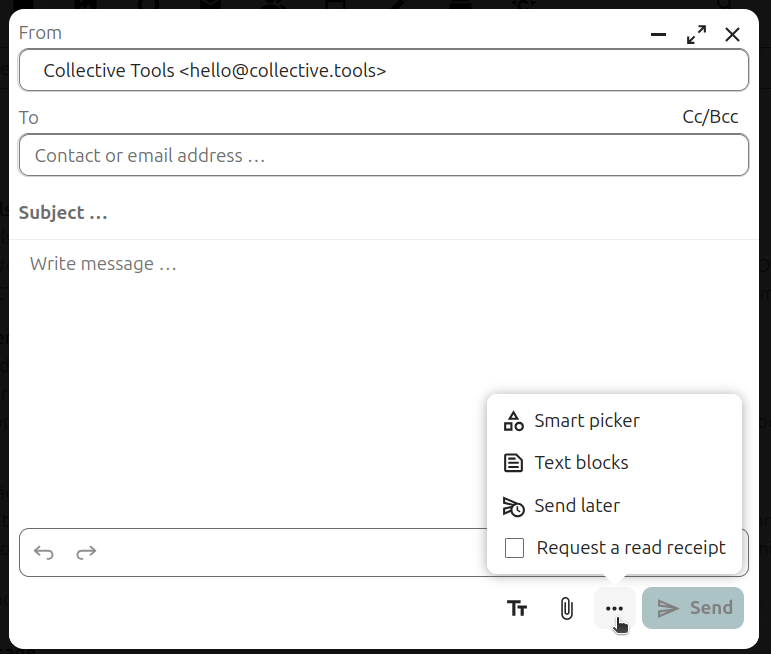
You write and send email in the browser through Mail.
- Open Mail from your Dashboard and click New message.
- Fill in the recipient, subject and text.
- Click Send.
Attach a file:
- Click the paperclip icon in the compose window.
- Choose Upload attachment for a file on your computer, or Add attachment from Files for a file already stored in Office.
- Select the file. Attachments appear below the message body before you send.
Attaching from Office is useful for large files, since you avoid uploading them again.
Send at a later time:
- Open the three-dot menu at the bottom of the compose window.
- Choose Send later and set when the message should go out.
The message stays in Outbox until then. From there you can change your mind or choose Send now.
You can minimise the compose window and carry on working in your inbox. The draft is saved automatically.
Built on Nextcloud Mail: Forum