 Mail
Mail
 Messages
 Office
 Notes
Notes
 Meet
Meet



Out of office-reply
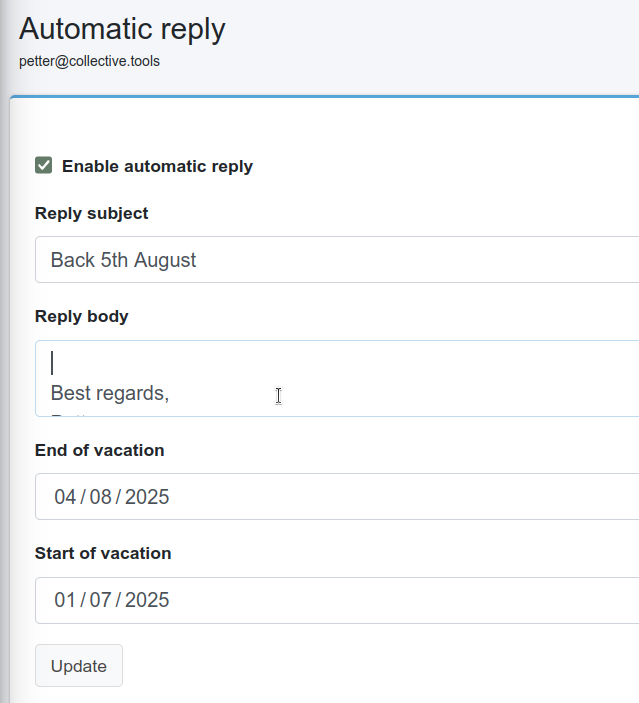
You can set an automatic reply that goes out to everyone who emails you, for example while you are on holiday. Automatic replies are set on the mail server and not in Mail.
- Sign in to mail.collective.tools with your email address and password.
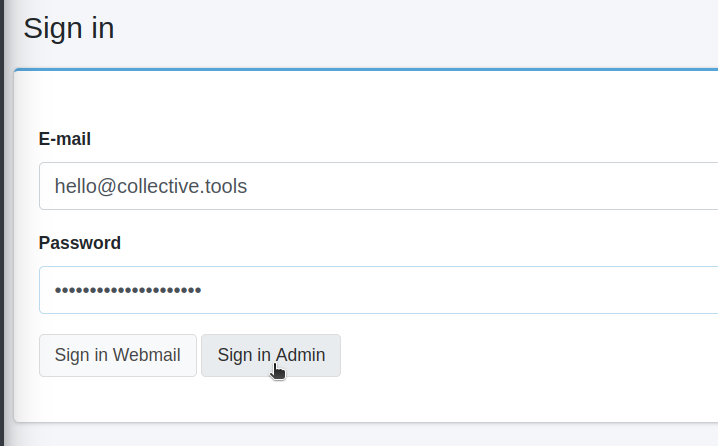
- Sign in to mail.collective.tools with your email address and password.
- Select Auto-reply in the left menu, under My account.
- Tick Enable automatic reply.
- Fill in Reply subject and Reply body.
- Fill in both Start of vacation and End of vacation. The fields start out empty, and the reply is only sent between the two dates. If you do not know when you will be back, set an end date with plenty of margin.
- Click Update.