Mail
Mail
 Messages
 Office
 Notes
Notes
 Meet
Meet



Create a spreadsheet
You can create a new spreadsheet directly in Calc or import data from an existing file.
- Open Calc from your Dashboard.
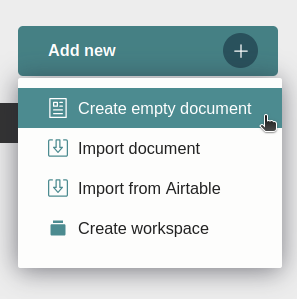
- Click Add new in the left panel of the home screen.
- Select Create empty document.
- The document opens with an empty table. Click a cell and start typing.
A document can hold several tables spread across several pages. Pages are listed in the left panel, and you add a new one via Add new followed by Add page.