Mail
Mail
 Messages
 Office
 Notes
Notes
 Meet
Meet



Import data
You can import data from Excel or CSV files into Calc.
- Open Calc from your Dashboard.
- Click Add new and select Import document. To add data to a document you already have, open that document and select Add new followed by Import from file.
- Select the file on your computer (.xlsx, .csv or .tsv).
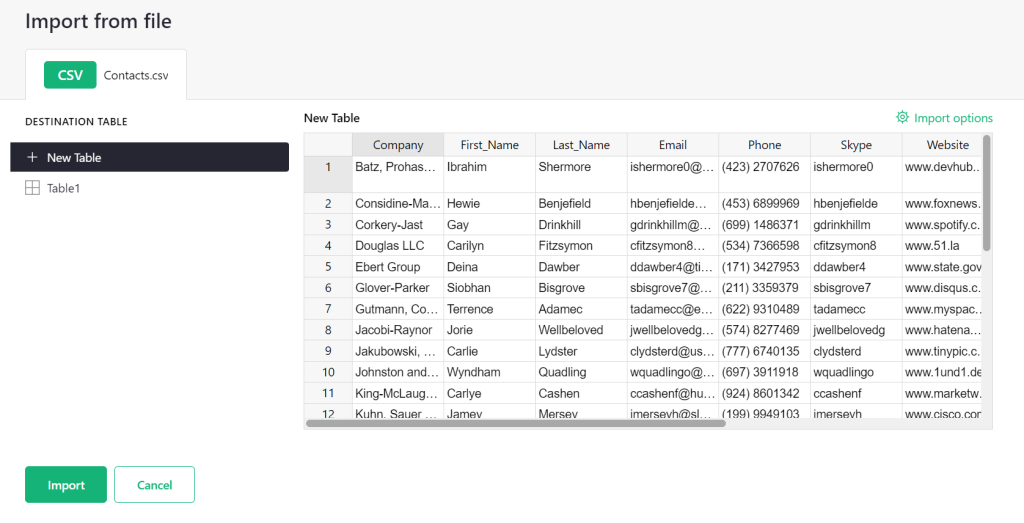
- Review the preview and confirm the import.
The data is added as a new table. In the preview you can choose to add it to an existing table instead, and use Import options to adjust how the file is read if the columns end up wrong.
If you import an Excel file with several tabs, each tab becomes its own table.