Mail
Mail
 Messages
 Office
 Notes
Notes
 Meet
Meet



Formulas and functions
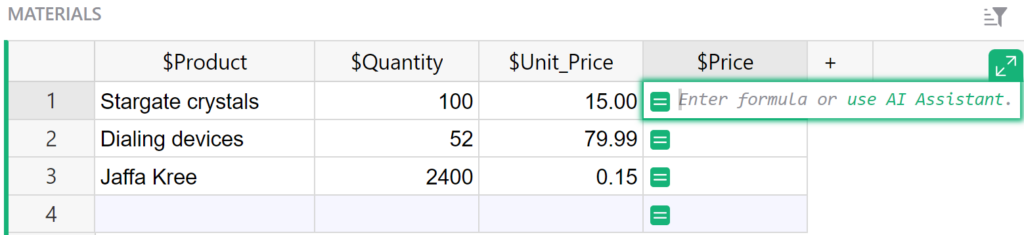
You can use formulas in Calc to calculate values based on data in the table.
- Click the cell where you want to add a formula.
- Type an equals sign
=to start writing a formula, for example=SUM($amount). - Press Enter to confirm.
In Calc, formulas apply to the entire column, not just a single cell. You can use Python syntax in formulas.
Click a column header and select Set formula to edit an existing column formula.