Mail
Mail
 Messages
 Office
 Notes
Notes
 Meet
Meet



Export data
You can export a spreadsheet to Excel or CSV format.You can export a whole spreadsheet or a single table to Excel or CSV format.
The whole document:
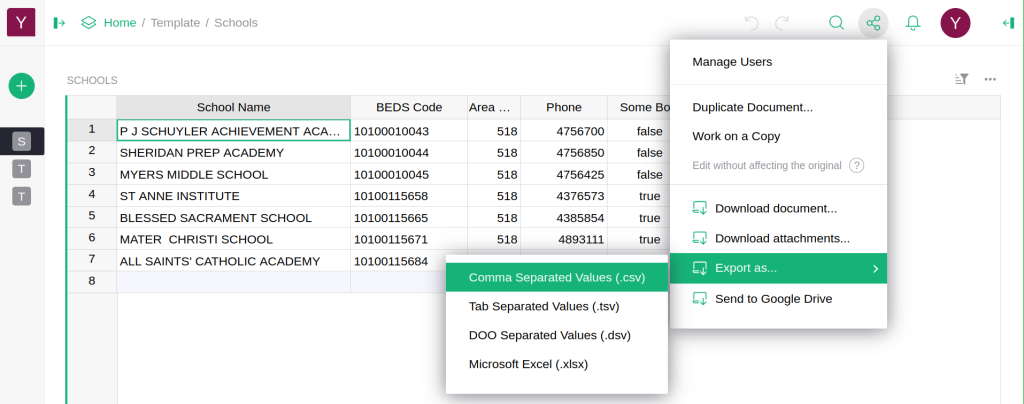
- Open the document and click Share at the top right.
- Select Export as… and then Microsoft Excel (.xlsx).
- The file downloads. Each table becomes its own sheet in the Excel file.
A single table:
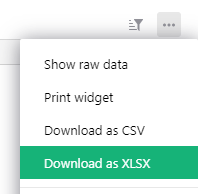
- Click the three-dot menu at the top right of the table.
- Select Download as CSV or Download as XLSX.
An exported table contains what is visible in the view, so hidden columns and filtered-out rows are left out. When you export the whole document, all data is included regardless of filters.